
How to advertise your event space: practical guide for ecommerce sellers
Clear, shopper-focused guide to advertising your event space online, with steps, options, common pitfalls, and practical tips for ecommerce readers.

If you want to fill an event space, start with a plan that translates into online visibility and bookings. This guide gives you concrete steps you can implement for an ecommerce audience, from defining your space’s appeal to choosing the right channels. You’ll learn where to start, what to test, and how success looks in practical terms.
First, establish what makes your space useful and unique, then map that to the customer journey. Think about photos, descriptions, and pricing that reflect real buyer questions. The goal is to make your listing compelling enough to prompt inquiries or bookings without overpromising.
Finally, treat promotion as a workflow rather than a one-off push. A consistent rhythm of posts, updates, and optimized listings helps steady demand and reduces last‑minute vacancy risk. This article stays focused on practical steps you can apply today to ecommerce workflows.
- Define what makes your event space unique and who will rent it. This sets the foundation for messaging and visuals.
- Choose channels that align with how buyers search for venues, then test and optimize based on response and inquiries.
- Bundle simple pricing with clear add-ons, and keep listings fresh with updates and social proof.
- Avoid vague descriptions, slow replies, and hidden terms to maintain trust and accelerate bookings.
Basics: define your space and audience
Space value proposition
Clarify why someone would book your space instead of a rival. List features like capacity, layout options, acoustics, parking, and accessibility. Translate these into a simple value statement that appears in every listing. advertise your event in the USA is a key phrase you’ll see in many venue guides, and this guide explains how to translate that into a real listing strategy.
- ☐ Define one strong value proposition
- ☐ Capture 3-4 high-quality photos
- ☐ List 2-3 standard rental options
- ☐ Set clear, calendar-based pricing
Describe who will benefit most: small startups, workshops, or pop-up teams. Tailor photos and copy to that group, showing configurations they can picture using.
Include a clear pricing framework and a flexible calendar. Buyers want predictable costs and reliable availability, so show typical rental durations and add-on options clearly.
- Highlight unique features
- Show versatile layouts
- Provide transparent pricing
- Mention accessibility
Know your buyer journey
Outline the steps a buyer takes from discovery to booking. Start with an enticing listing, then offer generous but realistic information, followed by easy contact options. Each step should require minimal effort from the buyer.
Provide a short FAQ addressing common concerns: capacity, noise policies, and setup time. Quick answers reduce inquiry back-and-forth and speed decisions.
Track which pages get views and which inquiries convert to bookings. Use this data to improve descriptions and adjust prices or packages as needed.
- Map discovery to decision
- Offer concise FAQs
- Track conversion points
- Adjust based on data
How to reach the right audience

Channel choice for event spaces
Begin with your own listing pages and social profiles, then add paid ads only after you have supporting visuals and pricing. Focus on channels that buyers commonly explore for venues, like search and social platforms. latest news USA should be treated as a resource for understanding platform changes, but your actual listings should remain clear and locally focused.
- Target local buyers
- Showcase real usage
- Keep pricing simple
- Measure response by channel
Test a few placements with a modest budget to learn what fits your space. Rotate images to see what resonates and track inquiries by channel over several weeks.
Use posts that show real use cases, such as a coworking meetup or a small conference, to demonstrate potential outcomes for renters.
- Own listings first
- Test paid placements
- Use real-use examples
Content that converts
Images should convey scale and feel: a wide shot of the room, a shot of the seating arrangement, and a close-up of a detail like a projector or coffee station.
Descriptions should answer buyer questions upfront: capacity, configurations, inclusions, and policies. Avoid generic language and focus on outcomes for the renter.
Calls to action must be specific: offer a viewing, request a quote, or reserve a date. Ambiguity kills bookings.
- Show multiple angles
- Answer key questions
- Include a strong CTA
Options for presenting and pricing
Pricing structures that work
Create simple packages: basic, extended, and with amenities. Pair each with a realistic hourly or daily rate and a clear inclusions list. list your company in the USA is a cue for building a credible presence; ensure your venue page reads as trustworthy and easy to book.
Offer add-ons like equipment, catering, or staffing. Make it easy for buyers to see what they’re paying for and how the total is calculated.
Provide a calendar view with live availability and instantaneous quotes where possible. Buyers respond to clarity and speed.
- Basic, extended, amenities
- Add-ons clearly listed
- Live availability and quotes
| Option | Inclusions | Notes |
|---|---|---|
| Basic | Room access, seating | Limited time windows |
| Extended | Room access, seating, basic AV | Longer rental with setup help |
| Amenities | All features plus projector and coffee service | Best value for events with needs |
Listing optimization
Use keyword-rich but natural language in titles and descriptions. Focus on what buyers search for locally and in terms of use (meetings, events, workshops).
Keep updates consistent: refresh photos seasonally and adjust descriptions based on what questions appear in inquiries.
Leverage testimonials or case studies from past renters when possible to build trust with new buyers.
- Local, clear terms
- Seasonal refresh
- Show proof of happy renters
Keep compliance in mind for local permits and accessibility standards to avoid delays or penalties.
Pitfalls to avoid

Common mistakes
Overpricing relative to demand makes your space look less valuable. Aim for transparent pricing and clear inclusions to avoid sticker shock. place an advert in the USA can be used to justify paid placements that support your organic listing, as part of a balanced promotion plan.
Vague photos or insufficient configuration options invite back-and-forth and lost momentum. Use a well-rounded gallery showing all usable set-ups.
Ignoring inquiries or slow responses damage credibility. Set expectations for reply times and stick to them.
- Avoid vague listings
- Provide complete gallery
- Respond promptly
Legal and policy gaps
Ensure you have clear cancellation and refund policies. Buyers feel safer when terms are explicit and easy to understand.
Clarify policies on deposits, security, and liability. Ambiguity can slow bookings or create disputes.
Keep compliance in mind for local permits and accessibility standards to avoid delays or penalties.
- Clear cancellation terms
- Deposit and liability clarity
- Regulatory compliance
Promotions that scale
Elevating offer visibility
Start with a clear promotional ladder: free venue tours, discounted off-peak rates, and bundles that include add-ons like equipment or staffing. This structure helps buyers compare options quickly and makes your listing more attractive to small organizers. Use a consistent call-to-action on every promotion to reduce decision friction. how to place an obituary in the USA
Second, align promotions with inventory and calendar reality. If weekends fill fast, offer midweek incentives to balance demand without eroding value. Track which promotions convert and adjust offers every season to keep relevance.
Finally, craft terms that are easy to understand: duration, caps on usage, and cancellation policies should be explicit. Ambiguity invites disputes and damages trust in your ecommerce storefront.
- Tiered discounts tie to booking size
- Clear expiration dates reduce procrastination
- Bundle offers to raise average order value
- Promote limited-time incentives for urgency
Measurement and data

Track key performance indicators
Identify core metrics such as inquiry rate, viewing-to-booking conversion, and average booking value. Use these to assess which promotions drive real action rather than just awareness. Data should guide tweaks to pricing and positioning on the product page.
- Review weekly trends
- Highlight top performers
- Exclude outliers from forecasts
Aggregate data from your listings, ad campaigns, and booking engine to spot patterns. If mobile inquiries spike after a certain photo set, replicate that visual approach elsewhere. Use dashboards that refresh daily for timely decisions.
Translate data into actionable changes: adjust thumbnail order, highlight frequently booked dates, and experiment with small price edits to measure elasticity. Decisions grounded in numbers feel justified to sellers and buyers alike.
- Inquiries per listing
- Bookings per promotion
- Average order value
- Click-to-book rate
- Return on ad spend
Special considerations for venues
Showcase space in context
Provide multiple room layouts and 3D views so buyers visualize events. Include real-use photos such as setup examples, seating arrangements, and stage areas. This helps sellers feel confident about what they’re renting and reduces back-and-forth questions.
Explain accessibility, loading zones, and nearby amenities plainly. If there are stairs, elevators, or parking considerations, state them upfront to avoid friction during the inquiry phase.
Clarify what’s included in the rental—furniture, AV gear, staffing—and what costs may arise. A transparent bundle structure makes the decision process smoother and reduces last-minute price shocks.
- Multiple layout photos
- Accessibility notes
- Clear inclusions and add-ons
Putting it all together for ecommerce
Merge venue details with ecommerce flow
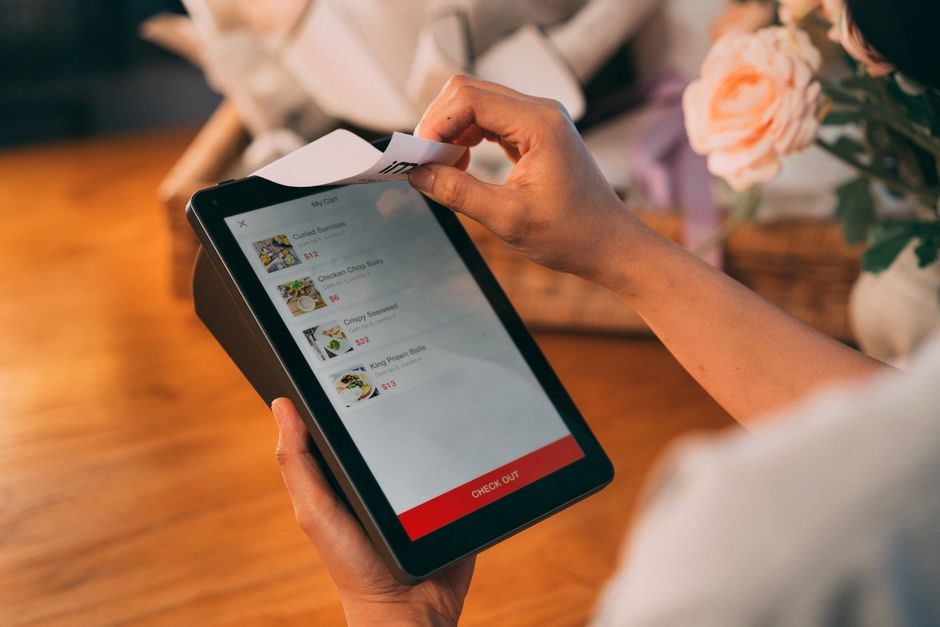
Integrate venue information into your product pages with concise, scannable sections: space description, capacity, dates, and a responsive booking calendar. Buyers should move from viewing to booking without leaving the page. Streamlined checkout reduces cart abandonment.
- Keep product pages focused and fast
- Use a predictable booking path
Use social proof sparingly but effectively: include a few reviews that address space quality, service responsiveness, and value. Keep testimonials relevant to events similar in scale to what you offer.
End with a clear next step: a direct booking button and a secondary contact option for questions. A simple, repeatable process increases trust and lowers hesitation.
- Clear space specs
- Responsive booking calendar
- Simple checkout flow
- Relevant social proof
- Direct booking CTA
Frequently asked questions
What should I include on an event space listing to improve conversion?Include a concise description, capacity, dates, pricing, and a clear booking flow. Add multiple photos showing different setups and a calendar that shows availability. A short FAQ addressing common questions helps buyers decide faster and reduces follow-up inquiries.
How do I handle price changes without frustrating buyers?Be upfront about when and why prices change, and show the total price early in the process. Use dynamic pricing only if you explain the rules plainly and consistently across listings. Always display current price before a buyer proceeds to checkout.
What makes a bundle effective for venue listings?Bundles should clearly combine the venue with a practical add-on, like AV gear or staffing, and spell out what’s included. Highlight the value by showing how the bundle reduces setup time and risk of extra charges, while keeping the total easy to understand.
How can I measure success of my event space advertising?Track inquiries, bookings, and average order value per listing, then compare those metrics before and after changes. Use a simple dashboard to spot what works, such as certain photos, layouts, or bundle options, and repeat successful elements.
Conclusion
The roadmap turns a space into a compelling offer by focusing on clarity, consistency, and useful details. Buyers can move from interest to booking with confidence when calendars, terms, and visuals align with expectations.
The next step is to refresh listings: tighten descriptions, standardize images, and test a few bundles that simplify decisions for organizers. A disciplined approach keeps your ecommerce storefront competitive and trustworthy.

Add Chicago Blackhawks Jerseys as a preferred source on Google

